
In my previous post, I explained why vibe coding isn't a gadget and what it means to be a CTO in an AI startup today. Many of you asked for the concrete workflow. Here it is.
This is exactly how we build Agely every day. No theory. Just the tools, the techniques, and how I chain them together.
The core principle
Before diving into tools, you need to understand one thing: the goal is never to write code. The goal is to generate the right specifications so that AI writes the code for you. Your job becomes orchestration, not execution.
This requires a shift in how you think. You stop thinking "how do I implement this?" and start thinking "how do I describe this precisely enough?"
My 3-step pipeline
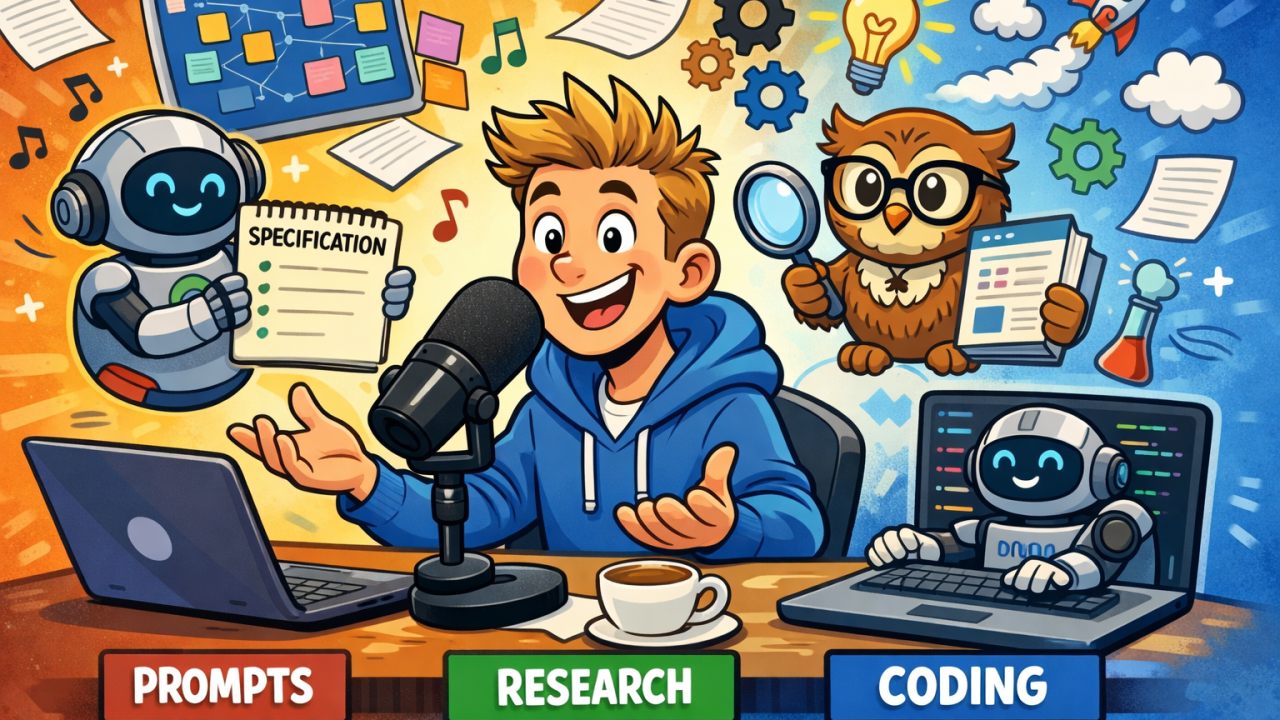
I use 3 main tools, each for a specific purpose:
1. ChatGPT with voice + Canvas for prompt generation
For complex projects, I start by talking. I use ChatGPT with voice input to generate my prompts. I talk through what I want, then ask it to reformulate and reorganize everything into a structured prompt.
The magic happens with Canvas. Once ChatGPT structures my prompt, I save it in a Canvas. This gives me a clean document I can copy/paste and also modify directly. It becomes my working specification that I refine over time.
What I ask ChatGPT to include:
- The role (what the AI should act as)
- What to do
- What NOT to do
- The methodology to follow
- The expected output format
The key here is that I don't type. I talk (french or english, it doesn't matter). It's 10x faster and captures nuance better.
2. Claude Opus for deep research
When I need to understand a complex topic before building, I use Claude Opus in extended research mode. This is where the magic happens.
The AI doesn't just look at 10 or 20 sources. It explores hundreds, sometimes over a thousand sources. It takes time, sometimes over an hour, but you get a comprehensive markdown report that becomes your reference material.
I use this for:
- State-of-the-art technical research
- Competitive analysis
- Understanding new domains before coding
- Finding the best libraries and approaches
The output is a report I can then inject into my coding prompts. This means the AI that writes my code has access to cutting-edge knowledge, not just its training data.
3. Windsurf + Claude Opus 4.6 Thinking for code generation
For actual code generation, I use Windsurf (others prefer Cursor, both work). The model is always Claude Opus 4.6 Thinking. Yes, it's expensive. But when you're accelerating 10x to 30x, the cost becomes irrelevant.
The process:
- I paste my structured prompt from step 1
- In 10 to 15 minutes, it generates the feature
- I spend 2 hours iterating with shorter prompts
- I batch 5 to 10 adjustments in a single prompt
Pro tip: In Windsurf, you pay per prompt. So batching multiple tasks in one prompt is not just faster, it's cheaper. I always group related fixes and adjustments together.
What I inject into every project
Templates and context matter. I always include:
- Linter configurations
- End-to-end test templates
- Basic files: .gitignore, .editorconfig
- A comprehensive README
I used to pack all of this into my prompts directly. My initial prompts were often 300 to 500 lines, just to set the context properly.
That changed when I adopted the AGENTS.md standard. Now all the project context, conventions, boundaries, and build commands live in scoped AGENTS.md files inside the project tree. Windsurf reads them automatically.
The result: my conversation prompts went from 500 lines to 10. I describe intent, the AI already knows the rest. The more context you give, the better the output. That hasn't changed. But now the context lives in the project, not in your clipboard.
Why I stick to popular libraries
AI works better with well-documented, widely-used tools. This is actually a good forcing function.
If you're reaching for an exotic library, ask yourself: why am I not using what everyone else uses? There are questions of stability and maintenance. Popular libraries are maintained, they last, and AI knows them well.
If you absolutely need something less common, AI can read source code on GitHub and adapt. But popular libraries give you better results faster.
The iteration loop
Here's what a typical feature development looks like:
- Voice prompt to ChatGPT → structured specification in Canvas
- If needed: deep research with Claude → reference report
- Initial generation in Windsurf → working prototype in 15 minutes
- Quick validation of the output
- Iterate with batched prompts → 5-10 fixes per prompt
- Total time: 2 to 4 hours for what used to take days
What to validate
I don't read every line of generated code. That would defeat the purpose.
What I actually check:
- Essential files (entry points, core logic)
- Overall organization and folder structure
- Design patterns being used
- Complex algorithms and business logic
- Security controls and data storage
The rest? If it compiles, passes tests, and follows my linter rules, I trust it. The point is to focus your attention where it matters: architecture decisions, complex logic, and making sure the AI understood your intent.
This is what separates efficient vibe coding from either blind trust or micromanaging every line.
Building Agely with this workflow
At Agely, every feature goes through this pipeline.
What would have required a 10-person team for months is being built by a developer, augmented with AI. Not because AI replaced thinking, but because it removed the bottleneck of typing.
The paradigm has shifted. The tools are here. The question is whether you'll build the workflow that makes you 10x more productive, or keep writing code line by line.